Reusable Learning Module

Sort by

Filter by

An open educational resource that supports academic, professional, and support staff to build more neuro-inclusive teaching, services, and policies in higher education. This resource was conceptualised & developed through the experiences of neurodivergent students in third-level education, with co-creation at the heart of every stage of the process

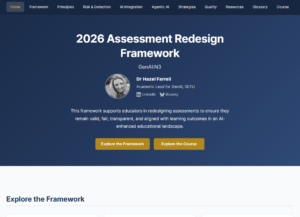
This OER presents an updated Assessment Redesign Framework for higher education in the age of GenAI. It supports educators and programme teams in designing valid, transparent, and scalable assessments, integrating AI literacy, process-focused approaches, and guidance on AI detection, large cohorts, and emerging agentic AI challenges.

This Pressbook features an interactive tool that helps you plan and structure your essay step by step. The book provides a clear starting point to reduce stress, prevent overwhelm, and support different learning preferences through examples, , quick guides, and PowerPoint videos with voiceover. This resource is a living document.

Slides for a digital wellbeing workshop that enables effective navigation of the digital world by
– exploring research on problematic internet use,
– offers workshop participants an opportunity to reflect on their own technology use
– uses the science of habits and the tiny habits methodology to promote more mindful use of digital technology

This resource contains a number of Capture The Flag (CTF) Challenges to be used for gamified learning of cyber security topics. There is a selection of 10 challenges that increase in difficulty. Included is a Writeups document explaining how these challenges are solved.

A self-paced resource introducing Articulate Rise 360, an authoring tool for creating interactive, mobile-responsive e-learning content. Covers content design principles, interaction types, accessibility features, and publishing workflows. Designed primarily for instructional designers, educators, and professionals new to Rise.

A self-study resource addressing healthy relationships with digital technology, addressing digital addiction, privacy concerns, work-life balance, and digital identity management. Includes scenarios exploring real wellbeing challenges. Emphasises positive and negative impacts of digital participation. The primary audience is university students.

A self-paced resource teaching video planning (pre-production), recording (production), editing (post-production), and ethical considerations for academic video use. Covers accessibility in video (captions, descriptions), equipment options, and practical workflows suited to diverse contexts. The primary intended audience is students.

A 45-minute comprehensive foundational lesson on digital accessibility principles, inclusive content creation, and available assistive technologies at university level. Collaboration with Educational Assistive Technology Centre, UL, launched for Global Accessibility Awareness Day. The primary intended audience is students.

A foundational, interactive guide to spreadsheet essentials covering data entry, formatting, basic formulas, functions, and chart creation. Features keyboard navigation, accessibility options, and read-aloud functionality for inclusive learning. Designed for beginners and those seeking a refresher. The primary intended audience is students.

Practical self-paced lesson introducing effective prompt writing techniques for students new to genAI tools. Covers prompt structure, iteration, critical evaluation of output, and ethical considerations. Teaches effective genAI communication techniques. Primary intended audience is university students.

An interactive, beginner-level, asynchronous resource designed to equip students with foundational knowledge on genAI ethics, applications, and academic use. It covers genAI fundamentals, responsible use, academic integrity considerations, and practical scenarios. The primary intended audience is university students.

BSEditor is a multi-platform software tool designed to aid educators in the creation of computer-based quiz questions. It provides a powerful editor to easily control every detail of a question, from integration of files and images, to elaborate scoring approaches.

Blender is a free and open-source 3D creation suite that supports Windows, macOS, Linux, and other platforms. It is widely used for creating animated films, visual effects, 3D models for printing, motion graphics, video games, and virtual reality content. This guide acts as an introduction to becoming familiar with Blender.

The Data Loom: Crafting Stories with Code, Yarn and Print is an open educational resource that reimagines data visualisation through tangible, artistic, and embodied practices. Instead of visualising numbers on screens, this project guides learners to materialise datasets using yarn, a miniature 3D-printed loom, and the art of weaving.

The HTML & CSS Cheat Sheet is a quick-reference site designed to support first-year web development students. It gathers together all the key terminology and concepts introduced during the semester, making it easier to revise and apply them when building websites.

HTML & CSS Cheatsheet

CC 0