Information and Communication Technologies

Sort by

Filter by

A video that explains how social media recommender algorithms work. It will help learners be more aware of how their social media content is delivered. The content is relevant to third level students, adult education and older secondary school students.

The video examines the impact of digital technology on the wellbeing of children and young people. It highlights ethics and legislation relating to social media platforms and Gen AI. It will be of interest to educators in third level, adult education and older school children. Content warning: it includes references to upsetting examples.

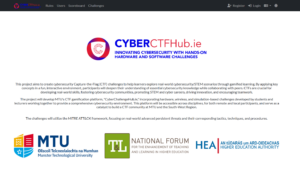
This resource contains a number of Capture The Flag (CTF) Challenges to be used for gamified learning of cyber security topics. There is a selection of 10 challenges that increase in difficulty. Included is a Writeups document explaining how these challenges are solved.

This video explores practical enterprise applications of blockchain technology, highlighting real-world use cases in supply chain, finance, and data security.

This video provides a clear and accessible introduction to cryptocurrencies, explaining what they are, how they function, and their role in today’s digital economy. Designed for beginners, it offers a foundational overview for learners exploring blockchain technology and digital finance.

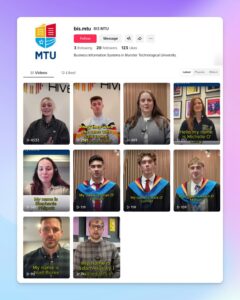
Short-form video interviews with MTU Business Information Systems graduates showcasing diverse career paths, designed to support professional identity development. These TikTok-style exemplars help students connect personal values with authentic career journeys, achieving 62,539+ views across social media platforms.

A self-paced resource introducing Articulate Rise 360, an authoring tool for creating interactive, mobile-responsive e-learning content. Covers content design principles, interaction types, accessibility features, and publishing workflows. Designed primarily for instructional designers, educators, and professionals new to Rise.

A self-study resource addressing healthy relationships with digital technology, addressing digital addiction, privacy concerns, work-life balance, and digital identity management. Includes scenarios exploring real wellbeing challenges. Emphasises positive and negative impacts of digital participation. The primary audience is university students.

A self-paced resource teaching video planning (pre-production), recording (production), editing (post-production), and ethical considerations for academic video use. Covers accessibility in video (captions, descriptions), equipment options, and practical workflows suited to diverse contexts. The primary intended audience is students.

A 45-minute comprehensive foundational lesson on digital accessibility principles, inclusive content creation, and available assistive technologies at university level. Collaboration with Educational Assistive Technology Centre, UL, launched for Global Accessibility Awareness Day. The primary intended audience is students.

A foundational, interactive guide to spreadsheet essentials covering data entry, formatting, basic formulas, functions, and chart creation. Features keyboard navigation, accessibility options, and read-aloud functionality for inclusive learning. Designed for beginners and those seeking a refresher. The primary intended audience is students.

Practical self-paced lesson introducing effective prompt writing techniques for students new to genAI tools. Covers prompt structure, iteration, critical evaluation of output, and ethical considerations. Teaches effective genAI communication techniques. Primary intended audience is university students.

An interactive, beginner-level, asynchronous resource designed to equip students with foundational knowledge on genAI ethics, applications, and academic use. It covers genAI fundamentals, responsible use, academic integrity considerations, and practical scenarios. The primary intended audience is university students.

This poster offers educators an overview of designing a syllabus on the Canvas learning management system that supports personalised learning pathways. It highlights (1) a gamified pedagogy grounded in gaming principles and (2) adaptive learning strategies using MasteryPaths.

BSEditor is a multi-platform software tool designed to aid educators in the creation of computer-based quiz questions. It provides a powerful editor to easily control every detail of a question, from integration of files and images, to elaborate scoring approaches.