

This resource was developed from the SATLE 2018 initiative: Developing All Learners Through Analytics Initiative (DALTAÍ)
Ancillary, supplementary or associated files…
This resource was developed from the SATLE 2018 initiative: Developing All Learners Through Analytics Initiative (DALTAÍ)
This chapter is a step by step guide to creating visualisations in Tableau that can provide insights into student behaviour on a tech tool. The chapter focuses on visualising data from an activity log. Many tech tools generate a log of every activity taken by users of the tool. This log typically records the date and time of the activity; who did it; and what the activity was (e.g. view a post; submit an assessment etc.).
Creative Commons Attribution-NonCommercial-ShareAlike (CC BY-NC-SA)
This work is licensed under a CC BY-NC-SA license, allowing sharing and adaptation for non-commercial use with proper attribution, provided derivative works use the same license.
https://creativecommons.org/licenses/by-nc-sa/4.0/
Links open in a new tab.
If you have modified or adopted this resource, share your version here. Tracking adaptations helps us measure impact and connects others with useful updates.
Explore resources sharing the topics attached to this record.
A project poster introducing a learning analytics dashboard that analyses weekly student reflections from SHLAM².
This resource supports inclusive teacher education through findings from the PREP-In project. It combines student and professional perspectives, placement portfolio insights, co-created classroom vignettes and practical recommendations. Designed for teacher educators, student teachers, school mentors and SEN professionals.
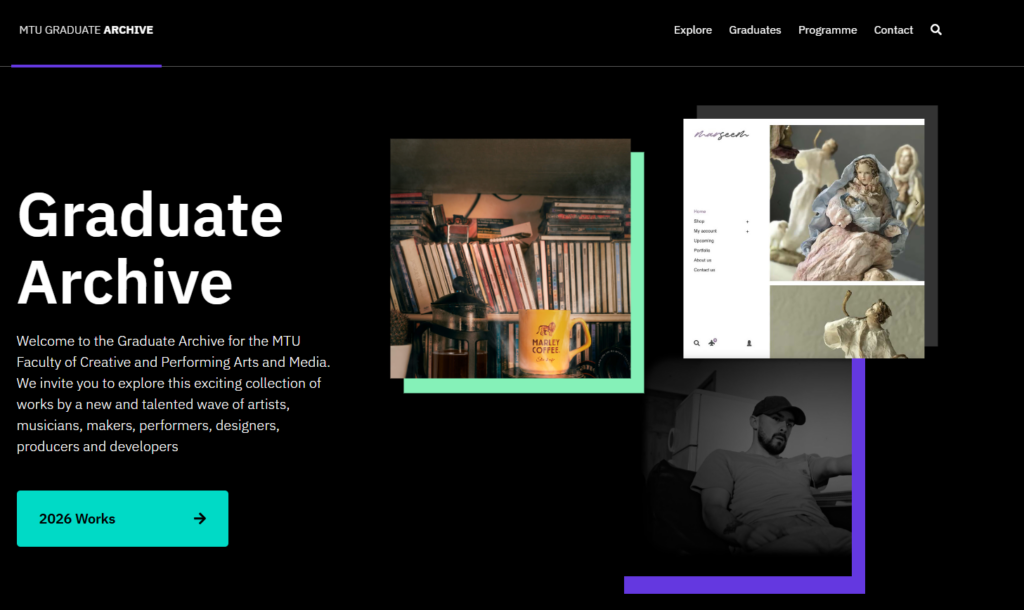
The Graduate Archive Website is a permanent collection of final year artworks and performances across the MTU Faculty of Creative and Performing Arts and Media.
The Archive showcases all works in full detail, which allows the works to function as high quality research material, and creates a key resource for teaching and learning.